Comparison
DesignDeck compared with Framer
Framer is the closest thing in this comparison to what DesignDeck's decks look like: motion is its core feature rather than an afterthought, and sites built in it move. If you are a designer, or design-literate, Framer is an excellent tool and the honest recommendation for a lot of people reading this.
The catch is who it is for. Framer is a Figma-shaped canvas, and reviewers consistently report a steep learning curve for anyone who does not already think that way. Its template market skews to startups, SaaS, portfolios and agencies rather than to dentists, salons and restaurants. If you are running one of those and do not want to become a designer this week, the shape of the offer matters more than the feature list.
What Framer is
A design-tool-shaped website builder with a free tier that publishes to a framer.website subdomain indefinitely, no custom domain. Paid tiers recorded on Framer's own pricing page were Basic at $10 a month billed annually, Pro at $30, and Scale at $100 with annual-only billing, plus a custom enterprise tier. Extra editor seats are $20 a month on top. Around 200 official templates plus a large third-party market where premium templates run roughly $30 to $150 and occasionally higher.
Its 2025 and 2026 additions are Wireframer, an AI layout assistant, and Workshop, an AI coding assistant for on-brand components; reviewers rate the design quality of Framer's AI output well against competitors. Recurring complaints: support is mostly AI and email with response times up to a day, seat and locale pricing adds up faster than the headline suggests, and the learning curve is real if you have not used a canvas tool before.
What is different here
There is no canvas. The motion, the type and the pacing are decisions already made and already built, to one standard, in every deck on the shelf. Your involvement is a form: your name, your words, your pictures, your prices. If you want a page to move differently, that is a different deck rather than an afternoon in an editor.
The trade is real and worth stating plainly. Framer will build a thing that does not exist here; nothing here will build a thing that is not on the shelf. What you get instead is a finished site live on a real address in under a minute, free for its first week, hosted and maintained by us, with a catalogue built for the trades Framer's market covers least.
From $9.99 a month, free for the first 7 days.
Side by side
| DesignDeck | Framer | |
|---|---|---|
| Who does the design | Already done, one standard, per deck | You, on a Figma-style canvas |
| Motion | Built into every deck, scroll-driven | The core feature; 3D is limited |
| Trade-specific templates | The catalogue is organised by trade | Startup, SaaS, portfolio and agency skew |
| Free tier | Live and shareable, free for 7 days, then paid | Free forever on a framer.website subdomain, no custom domain |
| Learning curve | One form | Steep for anyone new to canvas tools, per reviews |
When Framer is the better buy
- You are a designer, or you want to be the one making the design decisions.
- You need something the catalogue does not have and are willing to build it.
- You want an unlimited free tier on a subdomain more than you want a finished site.
What you would actually be getting
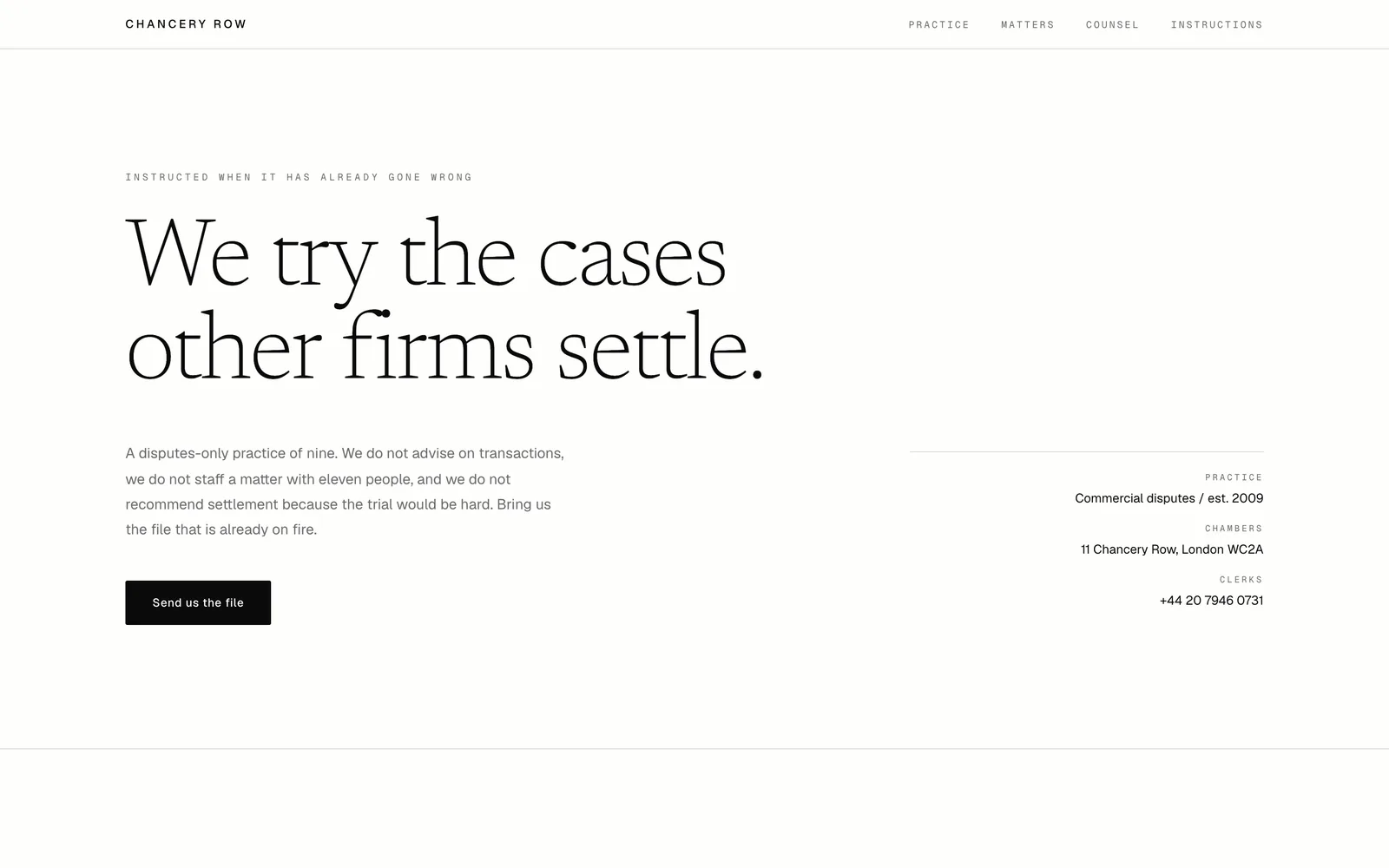
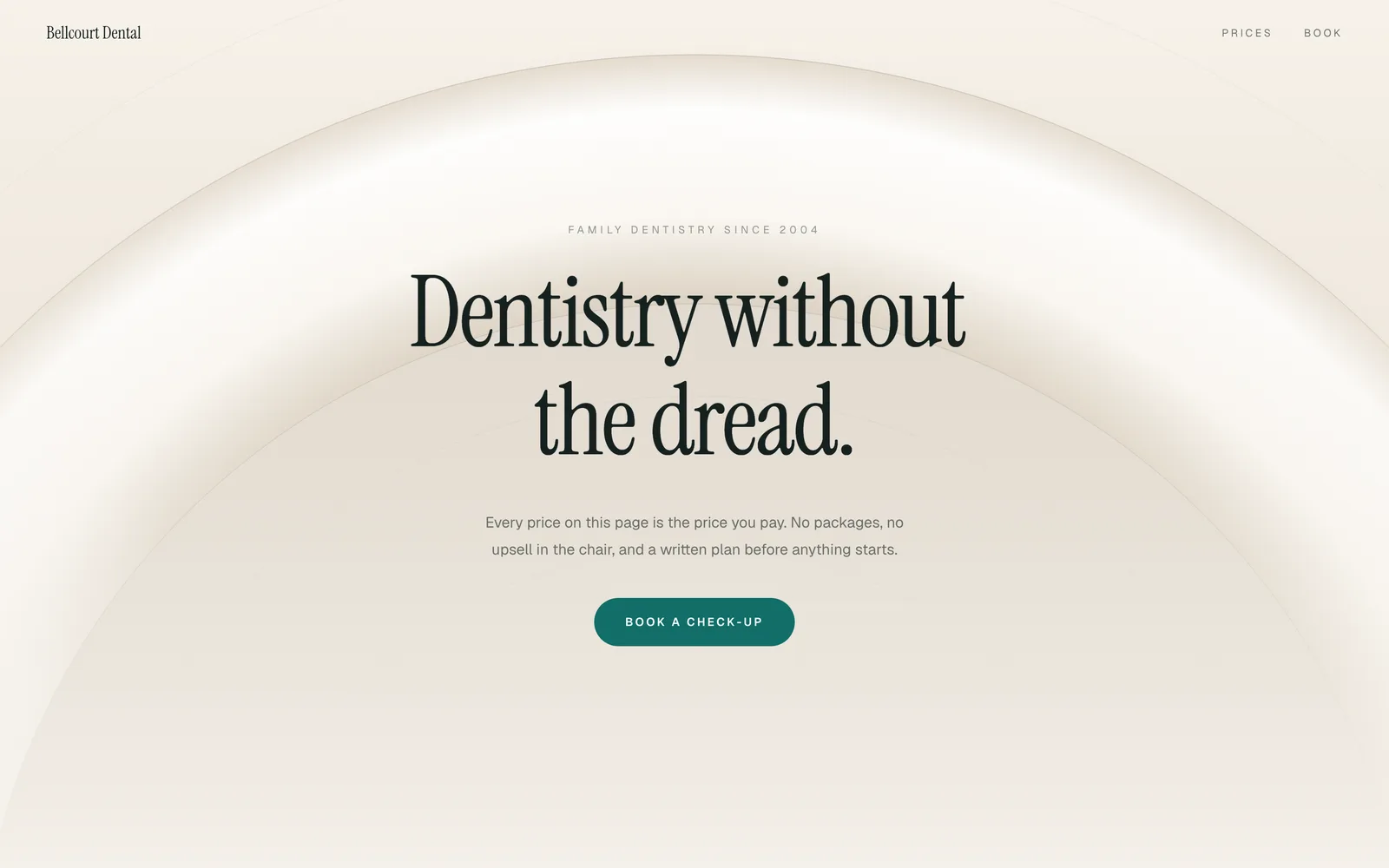
Each of these is a running site, not a screenshot of one. Open it, then put your own name in it.

Questions people ask first
Are DesignDeck sites as animated as Framer sites?
The decks are built motion-first: scroll-driven sequences rather than fade-in blocks, and several of them are cinematic builds. The difference is not how much motion there is, it is who chose it. In Framer you author it; here it arrives finished.
Can I edit the layout like I can in Framer?
No. You edit the content: headings, copy, prices, images, colours and type scale where the deck exposes them. Layout is the deck's, which is what lets it be finished before you arrive.
Which is cheaper?
Framer's paid floor was $10 a month billed annually on its own pricing page, plus $20 for each extra editor. Ours is on the pricing page and includes hosting. On a single-editor site the two are close enough that price should not decide it.
Sources
Prices and features checked 2026-09-04. Every figure above about Framercame from one of these pages. Where our research could not confirm a number against the vendor’s own pricing page, the sentence says so.
Other comparisons
DesignDeck vs Squarespace · DesignDeck vs Wix · DesignDeck vs Durable · DesignDeck vs Webflow