conference / 3 finished sites
Conference and event websites, finished and hosted
from $9.99 a month, and the preview is free.
Every finished conference site.
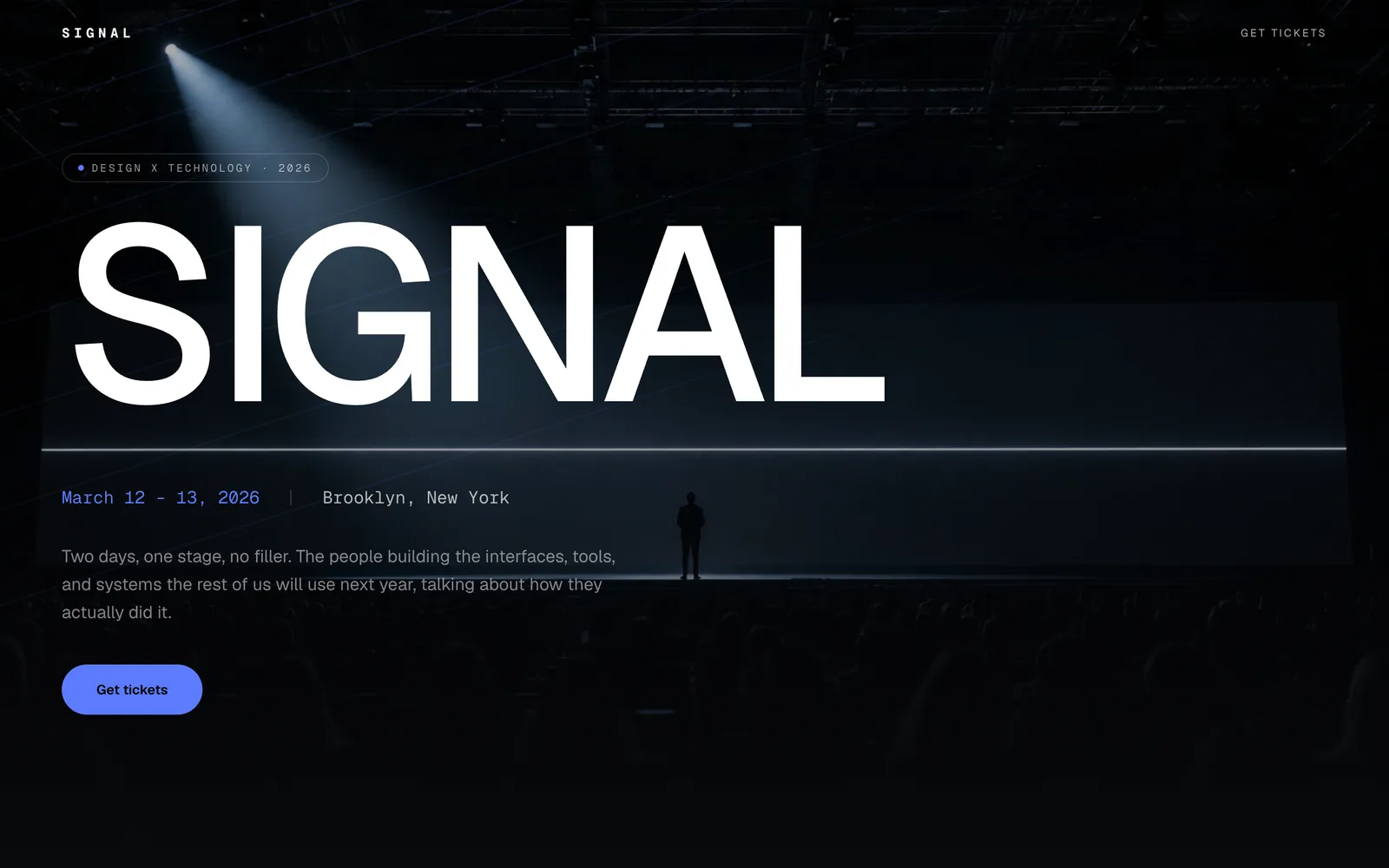
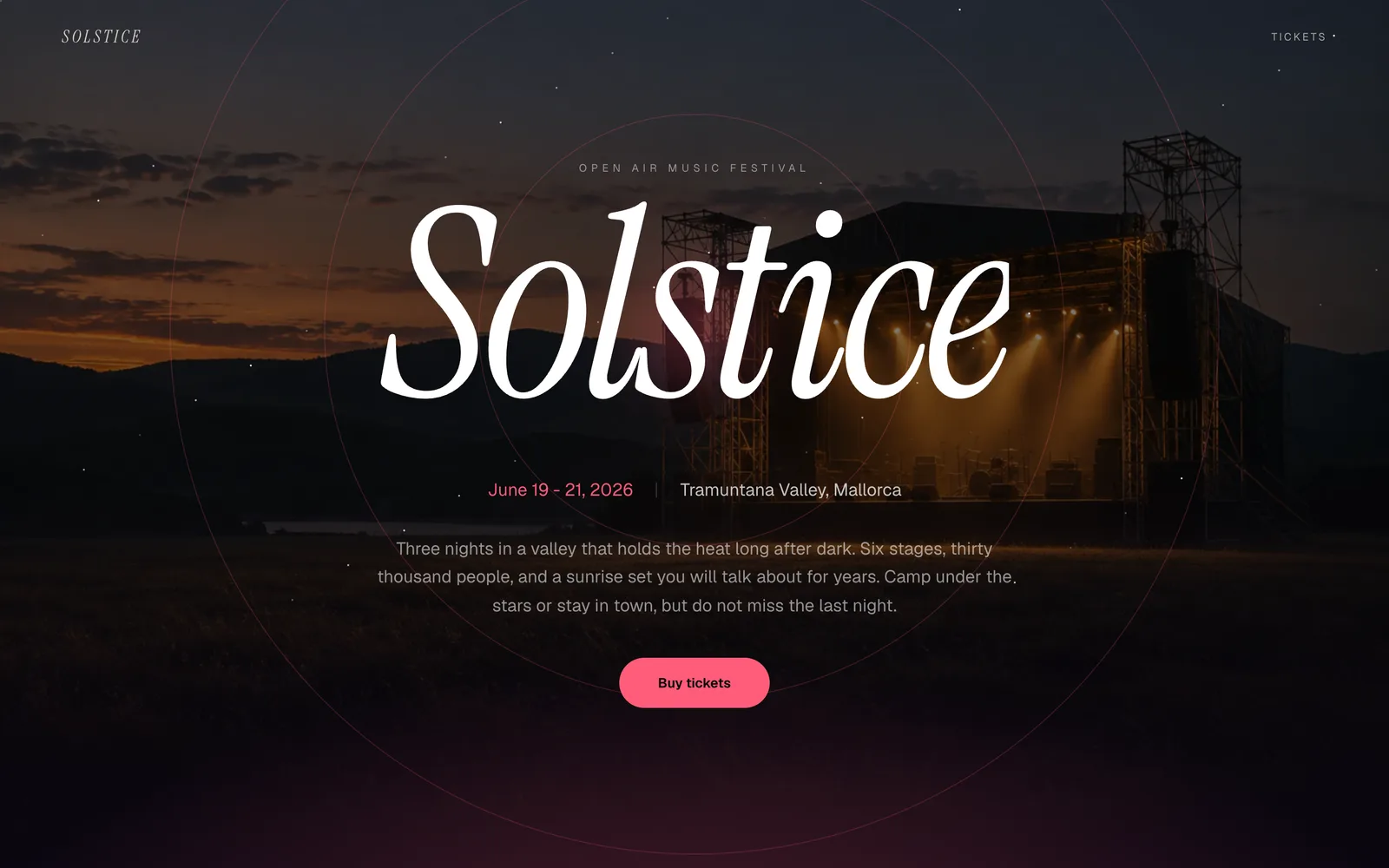
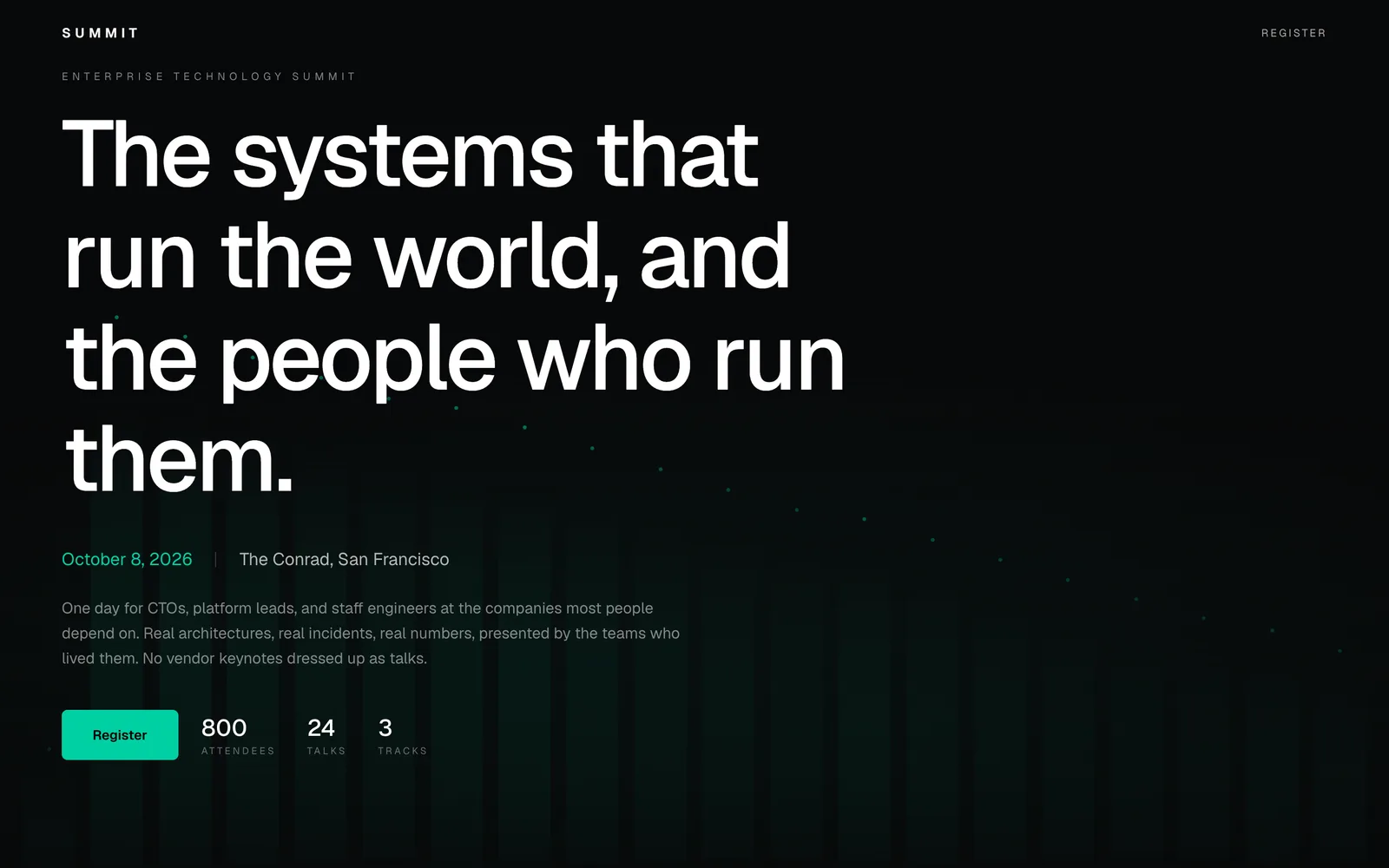
The three decks on this shelf are built for that. The date, the venue and the ticket link sit at the top and stay reachable. Speakers are structured entries with a photograph, a role and a session, which is the block that sells the ticket for most professional events. The programme is a list you edit yourself as it firms up, so a page can go live with three confirmed names and grow every week instead of waiting for a final line-up. Sponsors get a place that does not embarrass either side.
You fill in your own dates, venue, speakers, programme and photographs through one form, and the site is live on a real address in under a minute, free for the first 30 days, then a monthly fee to keep it. Every change afterwards is yours to make in the same form. We host it and keep it up for as long as the event needs it.
before the design
What a conference website has to do.
- 01
The name, the date and the city in the first screen, with no scrolling
- 02
Venue with an address a map can read, and how to get there
- 03
Speakers with a photograph, a role and what they are actually speaking about
- 04
A programme you can edit as it firms up, rather than one final version
- 05
Ticket prices, what each type includes, and the deadline that matters
- 06
Sponsors and partners, placed where they get seen without taking the page
questions people ask first
The catch, in full.
Can we sell tickets on the site?
The site does not take payment. It shows the prices and what each ticket includes and links to whatever ticketing platform you use, which is where the seat count, the refund policy and the tax handling belong anyway. If you invoice attendees instead, the page can take a registration enquiry.
Our programme is not final. Should we wait to publish?
No. Publish with the date, the venue and the speakers you have confirmed, and add the rest as they land. Early ticket buyers are people who trust the event or the organiser rather than the full line-up, and a page that exists in January sells more than a perfect page in April.
Can we run a site for a recurring annual event?
Yes, and the usual approach is to keep the same address and edit it each year, with last year's photographs and speaker list doing the persuading until the new programme fills in. That works well, because the address accumulates recognition instead of starting again.
How much does a conference website cost?
$9.99 a month on the One plan, which is the floor and includes the hosting. The site is free, and you pay only when you decide to keep it. There is no build fee, no setup fee and no charge for the preview.
How long does it take to get a conference website live?
Under a minute. You pick a finished site, fill in one form with your name, your words and your pictures, and it is live on a real address straight away. There is no build queue and nothing to wait for, because the site already exists.
Can I use my own domain name?
Yes, on the Site plan and above. Every site starts on an address we give it, which works immediately and costs nothing, and a domain you own can be pointed at it afterwards without rebuilding anything.
Are these conference websites real or mockups?
All 3 of them are running sites, not pictures of sites. Opening one shows you the same code that would serve yours, filled with our words until you replace them with your own.
next door
Neighbouring trades
no card · a real address
Start with Signal.
Nothing here is a mockup. Each one is running on the same machine that would run yours, and putting your own name into one costs nothing and takes under a minute.
Put your name in it